
Works in airplane mode too
Meeting minutes, made on your own phone.
Vault Notes records your meeting and turns it into a transcript, speakers, a summary and action items. It all happens on the device: your audio and notes never go to us or to any server.
- No account
- No ads
- Nothing to the cloud
The screens are real recordings of the app with a made-up meeting; the photos were made with AI.
How it works
Real screen recordings of the app, with a made-up meeting about launching a website.
Record, the text follows
Put your phone on the table and tap record. The text appears on screen while people talk, and recording carries on with the screen off.
Finished on the phone
Say how many people took part. The phone then saves the meeting encrypted, separates the speakers and runs a second, more accurate pass over the full audio. (Recorded in Dutch.)
Summary and action items
Summary, key points, decisions, next steps and open questions. Action items with owner and deadline.
The privacy receipt
Per meeting it shows what the app sent during the recording, with a badge when you recorded in airplane mode.
Rather see it in 37 seconds?
A short film without sound, with the same steps. The film is in Dutch.
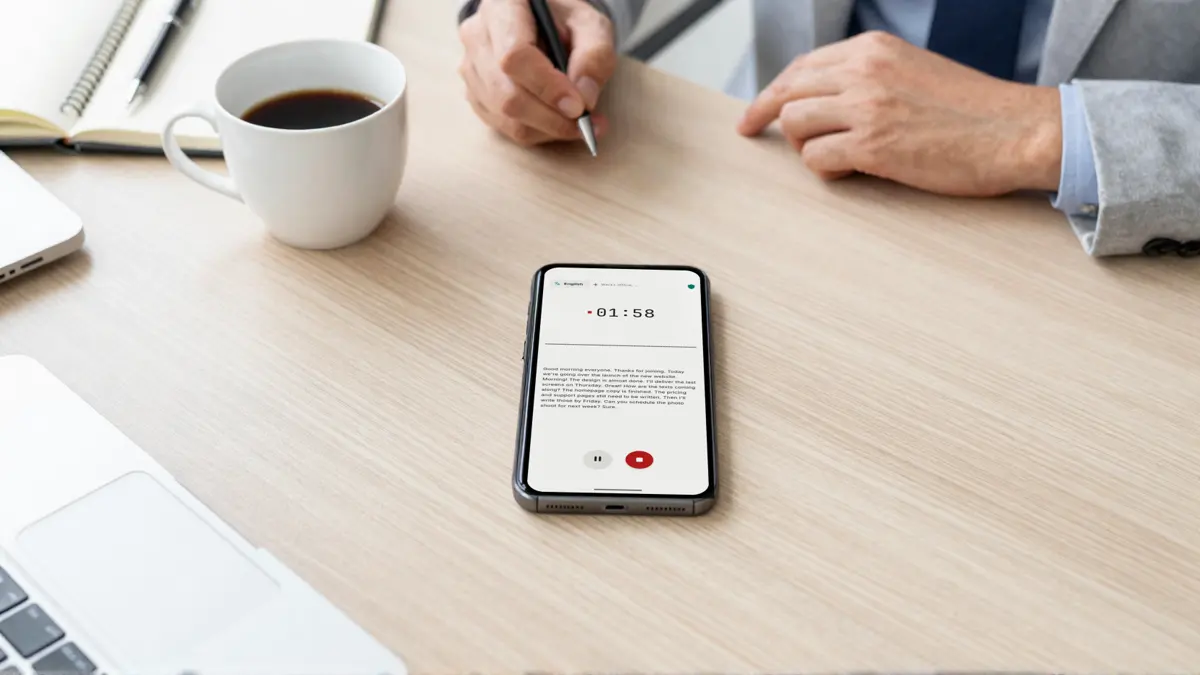
Put it on the table and just talk
Recording and transcription happen on your phone, without wifi or a mobile network.
- Live text
- On screen while you record.
- A second pass
- After the meeting, a more accurate pass over the full audio.
- Eight languages
- English, Dutch, German, French, Spanish, Portuguese, Italian and Polish: pick one or let the app detect it.
- Screen off is fine
- Recording carries on when you leave the app or turn off the screen.
Who said what
After the meeting the speakers are separated automatically, on the device.
- How many people?
- Say how many took part for a better split.
- Names afterwards
- Rename speakers straight from the transcript.
- Remember voices
- Optional and off by default. Next time the app suggests a name; you always confirm it yourself.
- How it went
- Talk time per speaker, a timeline of who spoke when, chapters with timestamps and a mind map that jumps to that moment.
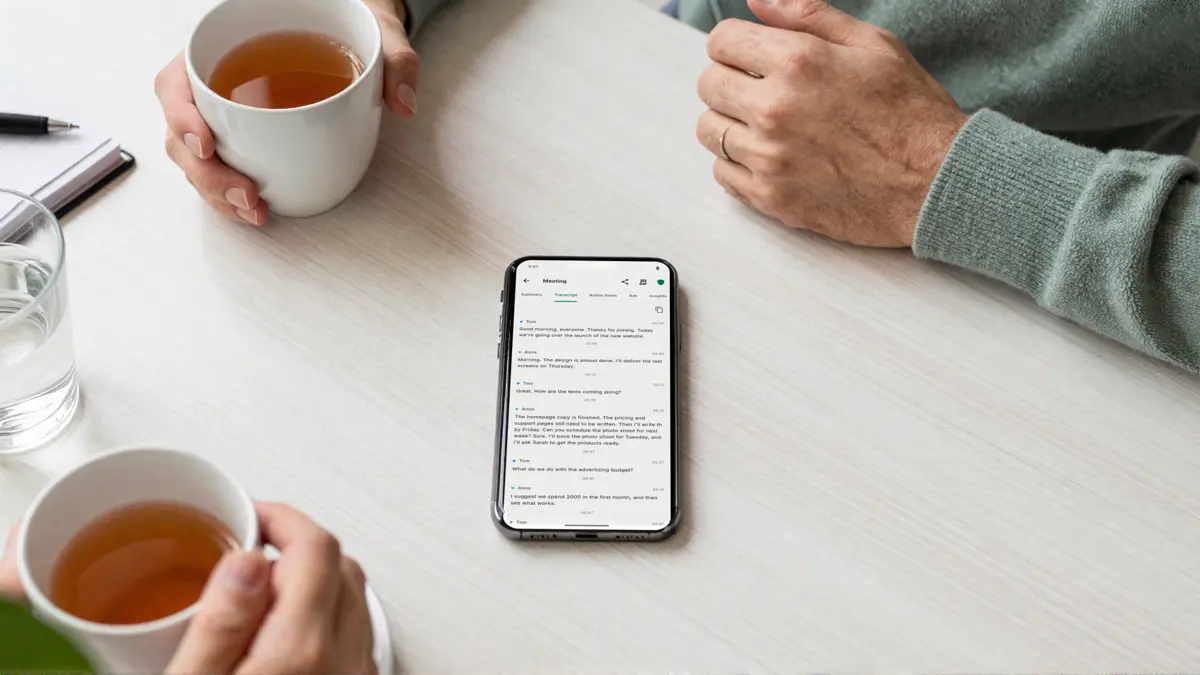
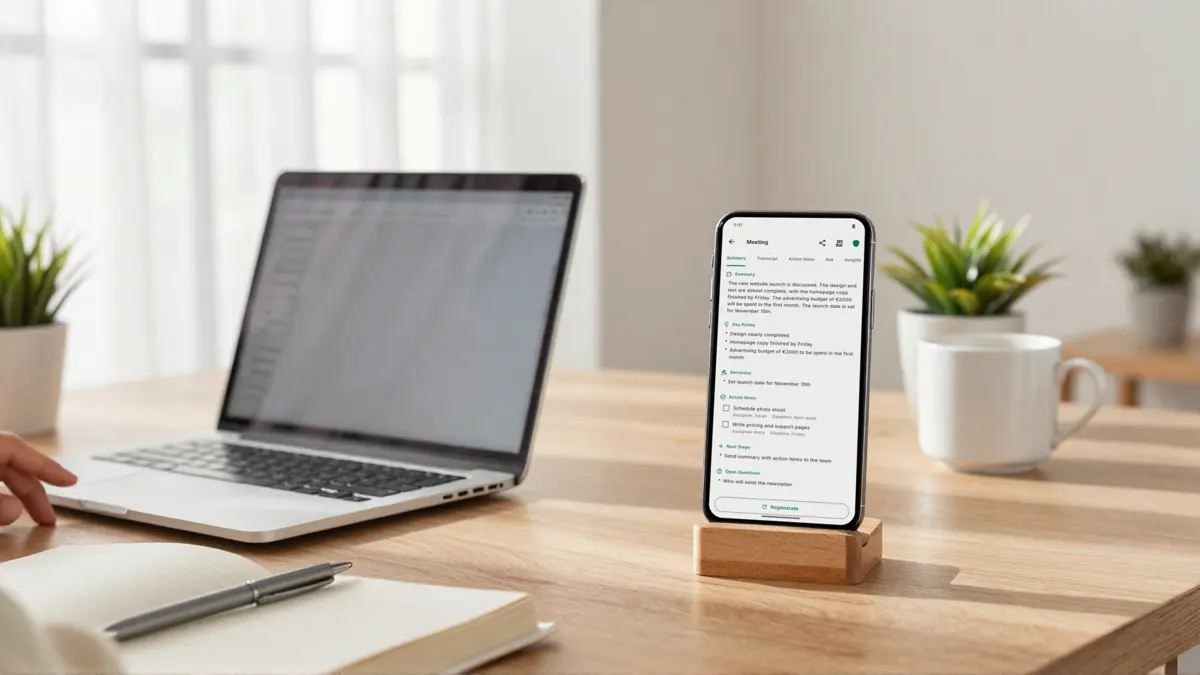
The minutes are ready
An AI model on your phone puts the meeting in order. No server involved.
- Summary
- With key points, decisions, next steps and open questions.
- Action items
- With owner and deadline, which you can add to your calendar.
- Ask questions
- The model on your phone answers from that meeting only.
- What stayed open
- Since your last meeting with the same people.
You choose what you share
Only what you share leaves your phone: as text, through the app you choose.
- The summary, only the action items, one part or the full transcript
- Search all meetings: titles, transcripts, summaries and action items
- Organize meetings with tags
- Meeting screens are hidden from screenshots and the recent-apps view
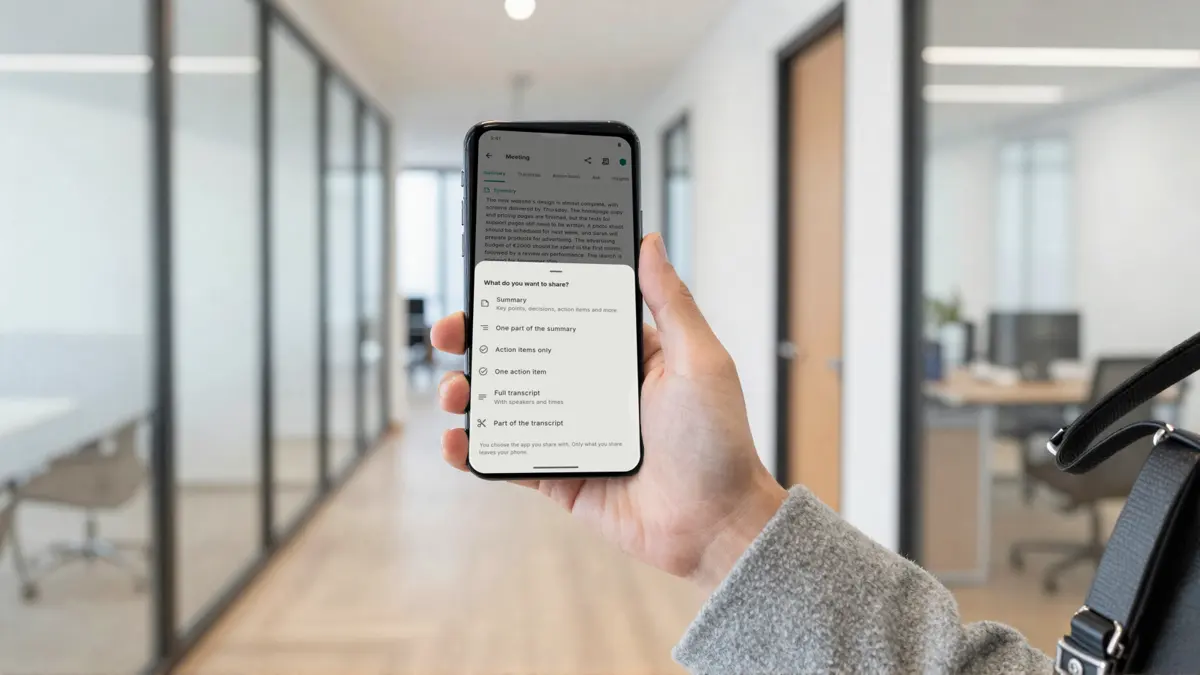
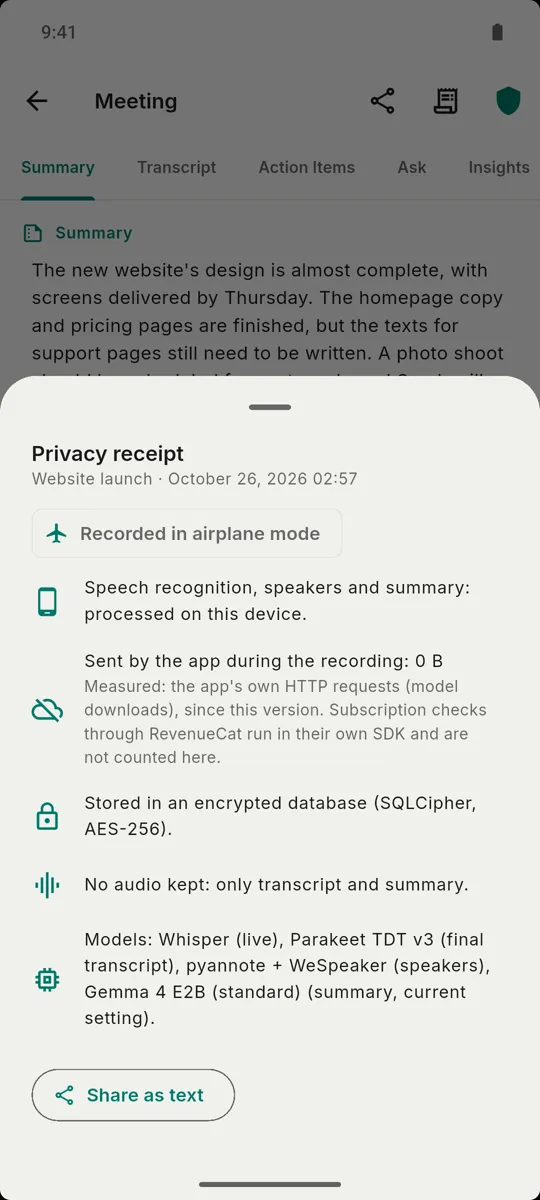
Privacy you can check
Don’t take our word for it: turn on airplane mode and record. That meeting’s privacy receipt shows what the app sent during the recording.
Stays on your phone
- Your audio, transcripts and summaries. They are never sent to us or to any server.
- Meetings sit in an encrypted database, and saved audio is encrypted too.
- Delete audio automatically after 1, 7 or 30 days; transcript and summary stay.
- No account and no ads.
The only times it goes online
- The AI models
- Downloaded once: about 2.2 GB (compact) or 4.4 GB (standard). Use wifi.
- Your subscription status
- Checked through Google Play and RevenueCat, with an anonymous ID.
Some conversations should stay yours
For team meetings, client calls, interviews, lectures and one-on-ones.
- GPs and therapists
- Notes of a consult, without the audio ever leaving the room.
- Lawyers
- Client meetings under professional secrecy, without a third party processing the audio.
- Journalists
- Interviews with sources who should not end up on someone else’s server.
- HR
- Performance and exit interviews, kept on one device.
Ask everyone’s permission before you record a conversation. The rules differ per country. How it compares with Otter, Fireflies and Plaud
Free to start
Free: 5 meetings a month of up to 30 minutes, 3 of them with an AI summary. Pro removes the limits.
Free
€0
To get to know it at your own pace.
- 5 meetings a month
- Up to 30 minutes per recording
- 3 of them with an AI summary
- Search, labels, sharing and privacy receipt
- No account
Pro
€69.99 a year
About €5.83 a month. Or €9.99 a month. If the store offers you a trial, you can try Pro free first.
- Unlimited meetings
- No length limit
- Unlimited summaries
- Everything stays on your phone
Pro Lifetime
€149.99 once
Pay once. €99.99 for the first 30 days after launch.
- Everything in Pro
- No subscription
You pay nothing during the beta. Prices in euros, including VAT. Billed and cancelled through Google Play; we never see your payment details. Pricing in detail
Before you start
- Android 11 or newer
- A one-time model download of about 2.2 GB (compact) or 4.4 GB (standard), on wifi
- The standard models are recommended for phones with 8 GB of memory or more
Questions people ask
Can I use Vault Notes now?
The app works end to end in the Android test build: recording, transcription, speakers, summary, asking questions and sharing. The public beta is being prepared. Leave your email and we write to you once when you can take part.
Does my audio go to a server?
No. Audio is processed on your phone and never uploaded. Until the final transcript is done it is kept encrypted (AES-256-GCM) in the app's private storage; then it is deleted. What you keep is the text.
So what does use the internet?
Two things: the AI models are downloaded once from huggingface.co (and the Hugging Face download servers), and the app checks your subscription status through Google Play and RevenueCat, with an anonymous ID. Links to our terms open in your browser. There is no analytics, crash-reporting or advertising code in the app.
Does it really work without internet?
Yes, after the one-time download. Turn on airplane mode and record: transcription, speakers, summary and questions all work. The recording is then labelled "Recorded in airplane mode".
How much storage do I need?
A one-time download of about 2.2 GB for the compact models or 4.4 GB for the standard models. The standard models are recommended for phones with 8 GB of memory or more. Use wifi.
How good is the summary?
Good enough for minutes, but it is a small model that fits on your phone, not a large cloud model. Check decisions and names before you send them on. The transcript is always right there.
Join the Android beta
Leave your email address and you get one email as soon as you can take part. No newsletter, no account.